 Twitter has been in the news quite a bit lately. It seems that everyone from President Trump to famous athletes make notable and controversial tweets every day. People’s very careers are sometimes derailed after making ill-conceived comments on Twitter and other social media sites. Because social media has taken on such importance in our society, keeping accounts secure is a major concern. Everyone who uses social media is potentially at risk for security breaches. Let’s look at why this is such an important matter and how you can make yourself more secure on Twitter.
(more…)
We often get asked how to customize Click To Tweet links that appear in blog posts (using our WordPress plugin) so what is displayed is different than what gets tweeted. There is a simple way to accomplish this and you can use this technique on any current or new links you’ve created.
First, simply create your CTT link how you normally would. Make sure to include whatever text and links you want to ultimately be tweeted. Once you create and insert this link into your blog post, it will look something like this:

 Social media has become one of the most effective ways to reach your audience, which includes both existing and potential customers. As more and more people spend time on social media sites such as Facebook, Twitter, Instagram, Pinterest and others, it becomes ever more crucial to establish a strong presence on these sites.
What really counts with your social media strategy is engagement. This refers, not to the number of followers you have, but the number of people who actually engage with your posts. When people share your content, they are working on your behalf to reach a wider audience. Let’s look at seven of the best ways to encourage more social media shares.
(more…)
 Twitter is one of the leading platforms for discussing the latest news and events. The tweets of politicians, celebrities and influencers from every realm of society are often more widely quoted than their interviews on TV stations or newspapers.
Of course, Twitter is also a very democratic platform, so millions of ordinary people are also free to express their views. Twitter has put together a video compilation called #ThisHappened, a composite of some of 2016’s most memorable events as noted on Twitter.
(more…)
 According to a report from Forrester Research, the average business will have allocated 30% of its marketing budget to online channels by the end of 2016. With so much money going to online advertising, how do small or medium-sized businesses (SMBs) — which often rely on part time employees to manage social media marketing — get it right? Twitter, known for its brevity and rapidly changing feed, is a great place to start.
Twitter Optimization Strategies
The process of creating a prominent Twitter presence can be challenging, especially for new users. While using relevant industry hashtags is a great launching off point, it’s important to understand Twitter uses an algorithm to determine the order in which tweets appear to followers and searchers. Adopting a trending hashtag can mean very little when the content is stacked against that of hundreds or thousands of popular accounts. There are many different Twitter apps and plugins that allow users to search which hashtags are most effective. It’s worth noting that repeated use of a hashtag will get users seen over time.
 Click to Tweet is a simple yet elegant service that allows you to get people to tweet your content, which is also an easy way to get more traffic to your website or blog. The application and plugin are 100% free to use, all you need is a Twitter account. In this tutorial, we’ll be describing how to use Click to Tweet and some ways to get the most out of it.
Why Create Click to Tweet Links?
Click to Tweet gives you the ability to direct readers to share specific content on Twitter. You can generate links directly from the Click to Tweet dashboard after logging in. If you have a WordPress site, you can download a free plugin and get readers to share specific blog posts or pages. You can also get view analytics reports that provide you with lots of useful information about the people who tweet your content.
(more…)
Two highly requested features have been released this morning: Suggested Users support and the option to have the ClickToTweet embed code open in a new window.
Suggested Users
Sometimes, when after you tweet you may notice Twitter suggesting a user account to follow. When creating your Click To Tweet links, you now have the ability to specify which user account gets “suggested” after people tweet using your CTT link.
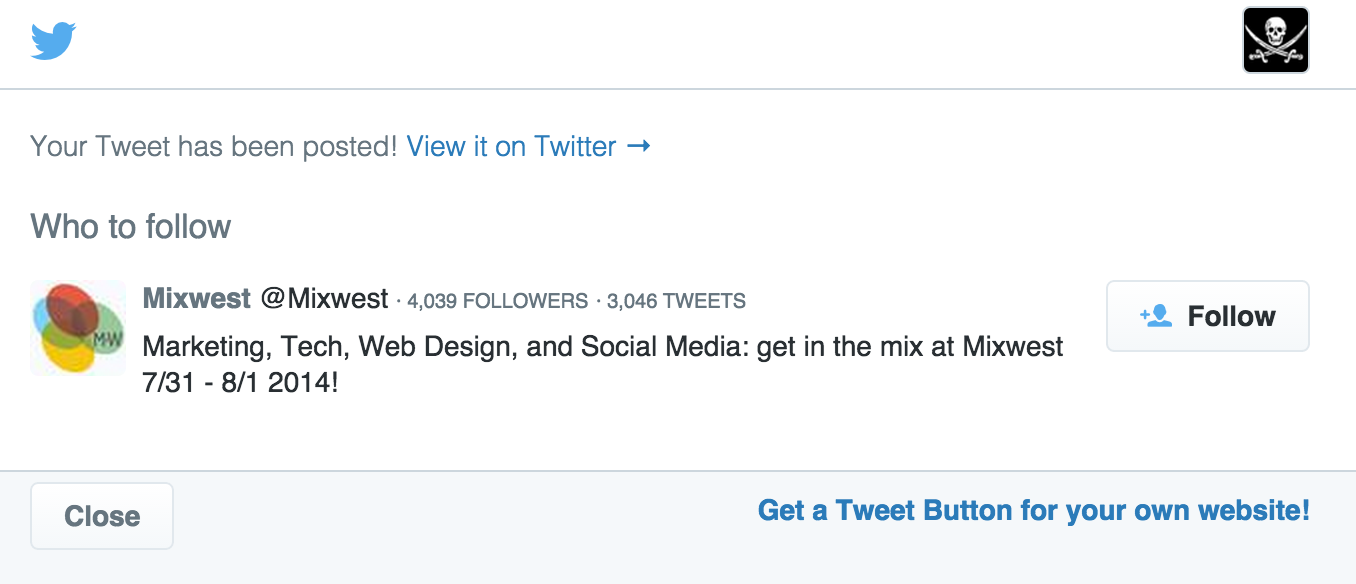
In our testing, this has proven to be a great way to organically grow your Twitter followers in a non-spammy way. Paid accounts can find this feature in the new Settings menu inside Click To Tweet. Simply specify which account you’d like for your Click To Tweet links to suggest.
(more…)
While we are still working on fully supporting the ability to include embeded images (hosted at pic.twitter.com) in your tweets, we have made a work-around easier to use.
Now, if you paste an image url that is hosted at “pic.twitter.com”, CTT will ignore the link and not attempt to wrap it in our URL shortener (which prevents it from displaying properly on Twitter).
For now, if you want to embed images in your CTT links, you’ll need to upload your image using your normal Twitter client (or the Twitter website) and tweet the image. Then, you can copy and paste the link to that image (starts with pic.twitter.com) into your CTT.
We are also now ignoring any bit.ly links and not wrapping them in our own URL shortener.
If you have any questions about these changes, feel free to contact support.
You should notice a couple new links on the left sidebar, below the main navigation. The first is an export link that will download a CSV (comma separated values) file of click data for all links in your account.
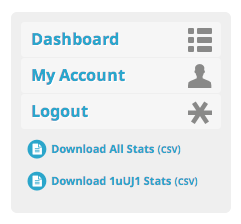
If you are viewing the stats of a specific link, another link will appear in the sidebar to download the click data from just that link.
This has been a highly requested feature and we hope this helps everyone get better insight into their CTT activity. If you have any ideas on how to expand this data, please let us know via a support request.
Updates from the CTT team
As the Click to Tweet product continues to grow, we thought it best to start blogging about new features and creative ways our users are using Click to Tweet on their websites.
Updates on new features, scheduled maintenance, and stories about how to optimize your Twitter campaigns using Click to Tweet will be posted here.